Service Design, brief & MVP development

A collaborative project with local disability gaming charity - research and developing a potential solution for their assistive technology assessment process

User Research
Development
Testing
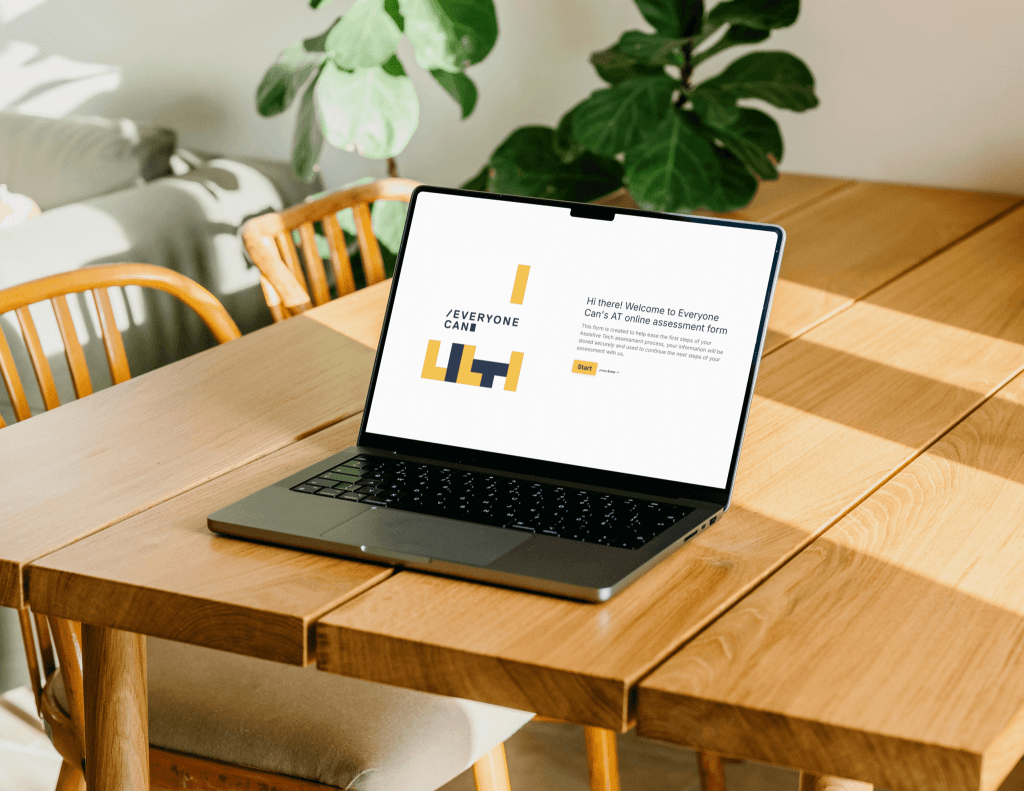
I collaborated with Sale-based gaming charity Everyone Can (EC), to develop an MVP of an online form; offering an alternative to improve their current assistive technology assessment onboarding process.
Background & Context
Everyone Can is a registered charity based in Sale, Greater Manchester, whose purpose is to help people with disabilities to improve their quality of life through the power of gaming. They host weekly accessible gaming sessions for children and adults, as well as carry out assessments determining what Assistive Technology is suitable for individuals with disabilities to help improve their wellbeing.
✦ The focus of my project is the pre-assessment onboarding journey where new users are making first contact with Everyone Can.Project scoping
My initial research revealed a gap in EC’s current assessment process;
Pain Points
- Currently no online alternative for assessment; phone/in-person only
- New users have to wait and schedule call/appointment; creates higher friction for first contact
- EC has to make individual contacts for each new case
Goals
- Ease the first point of contact to bring more new users into assessments
- Offer an online alternative where users can input preliminary information at their own pace
- Make it easier for EC to collect, process and store user data
User Research
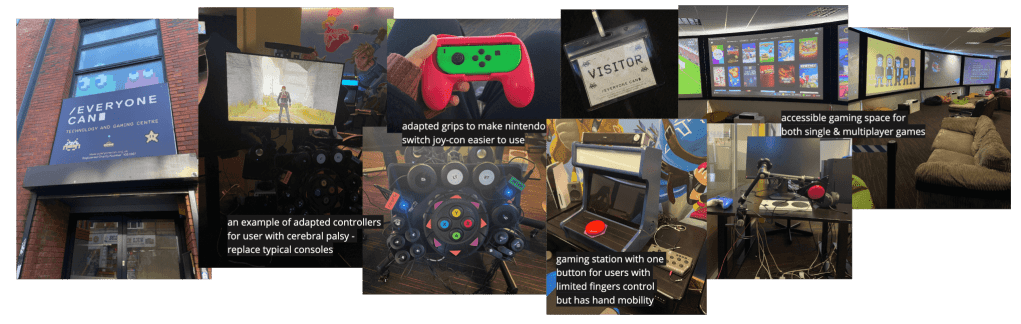
✦ For this stage of the project, I approached my primary research via professionals and experts in the industry who work with people with disabilities rather than approaching vulnerable individuals myself. This allowed me to maintain the appropriate ethical considerations whilst still gaining valuable and relevant research. Prior to my site visit, I conducted semi-structured interviews to gain deeper insights into EC’s workflow, this gave me a more comprehensive understanding that informed my visit.
I then conducted field ethnographic research to observe users in a natural setting, in an accessible gaming session at EC’s gaming centre.
User Archetypes
Developing user archetypes allowed me to focus on general behavioural traits of different user groups, rather than present users as specific individual personas, which could be inaccurate without sufficient user research.

Although Everyone Can’s end ‘service user’ is the person with disability, they interact with a much wider group, including the family/carers of the user as well as third party professionals; case managers and occupational therapists who could refer users to them as a method of improving wellbeing and facilitating social connections.
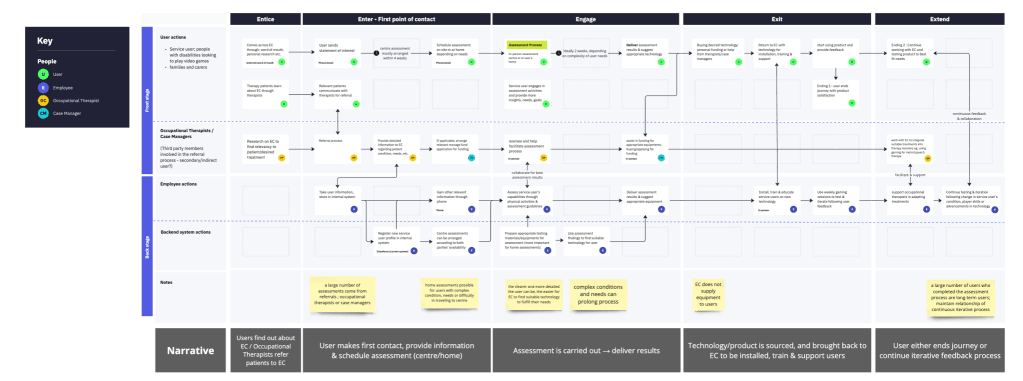
Service design blueprint
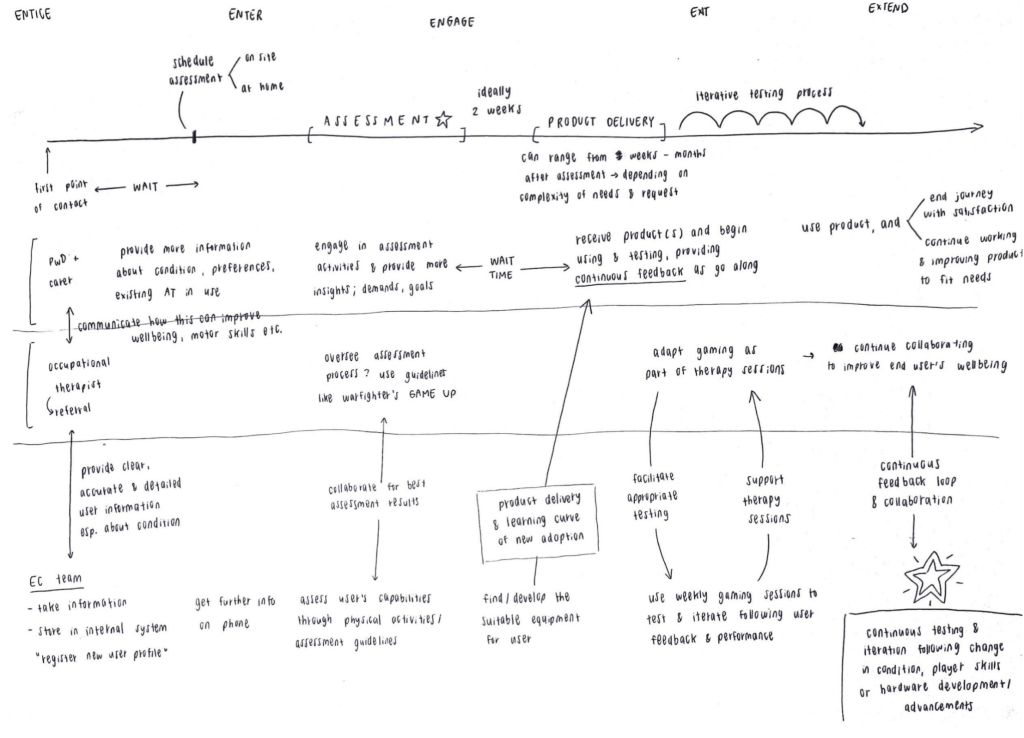
My primary research allowed deeper insights which leading to this service design blueprint. Created first in low-fidelity, then after double checking & iteration, digitalised for better visualisation.
MVP Development
Before developing the MVP on Typeform, I created this user flow to map out the journey of the form and section questions
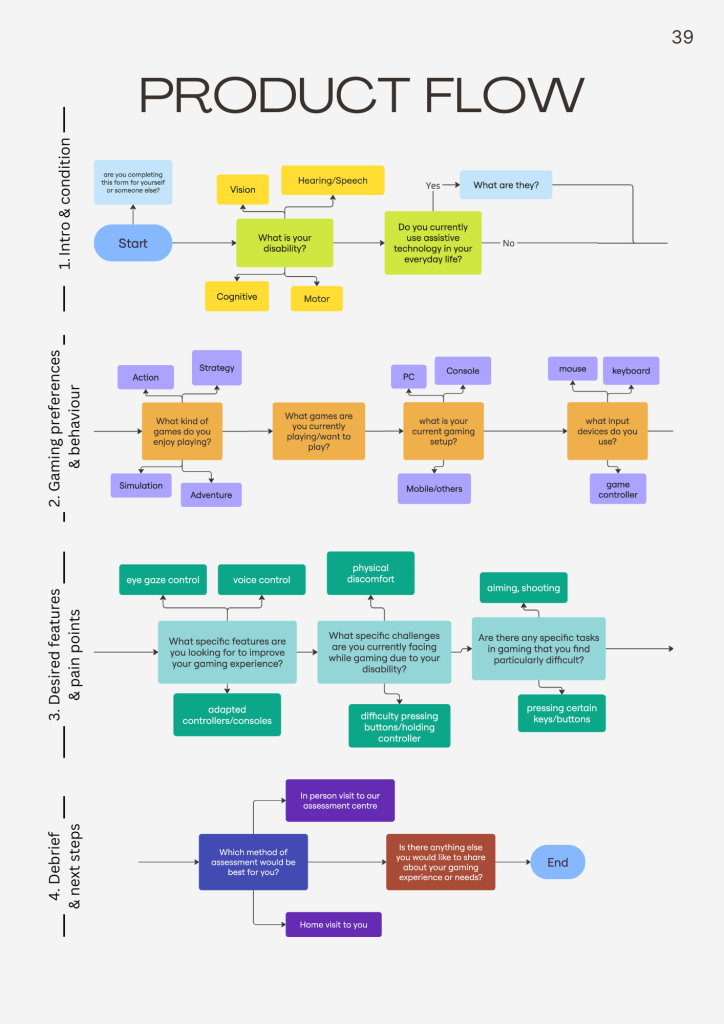
The questions, sections and logic were then translated into Typeform. After the MVP was developed, I proceeded to the testing stage to gain feedback.
User Testing; Concurrent Think Aloud
I conducted concurrent think aloud testing to gain feedback from my MVP prototype, once with 1 EC team member, and once again with 3 participants from a gaming sessions
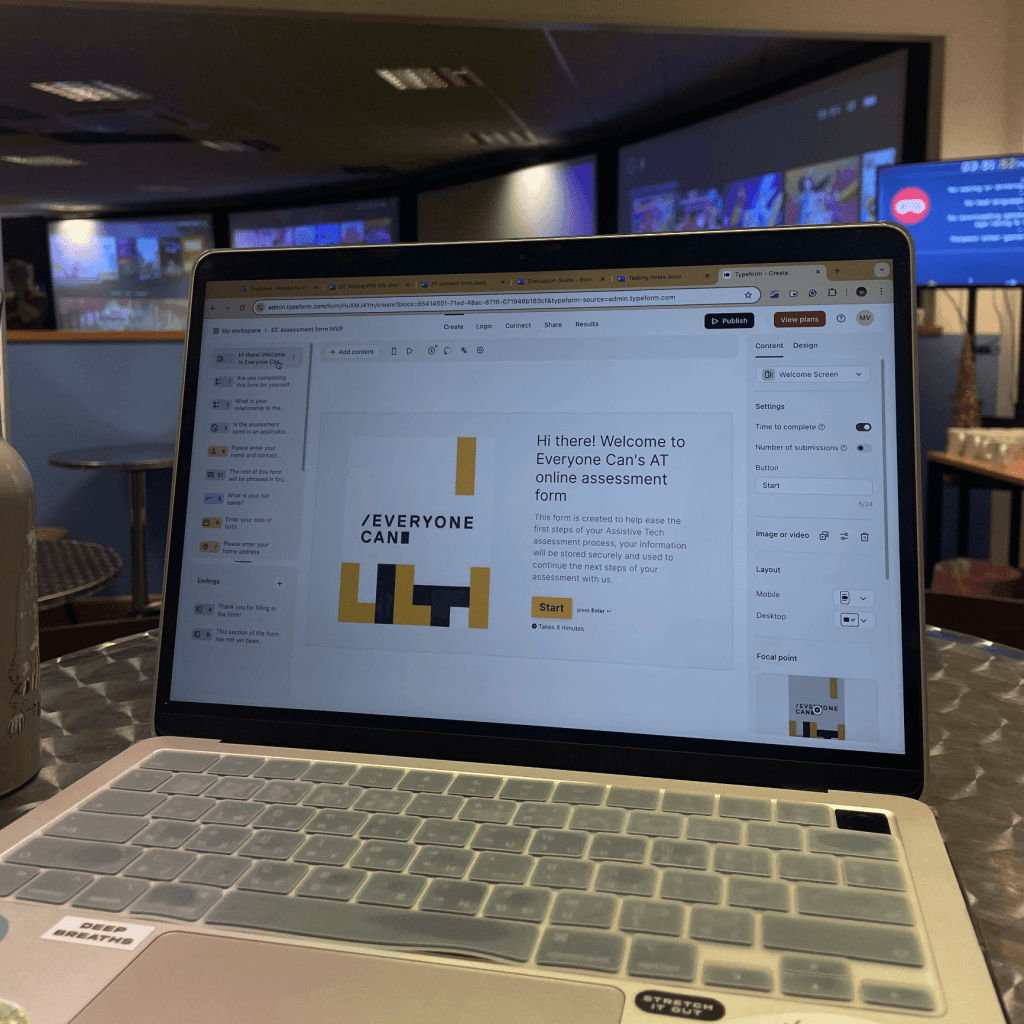
The first product testing with EC was incredibly insightful in curating the most suitable questions for this stage, and using the appropriate vocabulary and labels to align with EC.
This was then put into iteration before conducting the second testing with carers/family of service users.
| Participant | Background | Feedback summary | Rating |
| P1 | parent-carer | suitable solution, form is a good length – no faults | 10/10 |
| P2 | professional care worker | multiple choices and tickboxes help believes will get more people onboarding the process | 8/10 |
| P3 | parent-carer (+ medical worker) | ‘reality is service users will not be the one filling the form’ so using simple language & providing explanations/examples are really useful form needs to collect enough information, but not be laborious on the user | 9/10 |
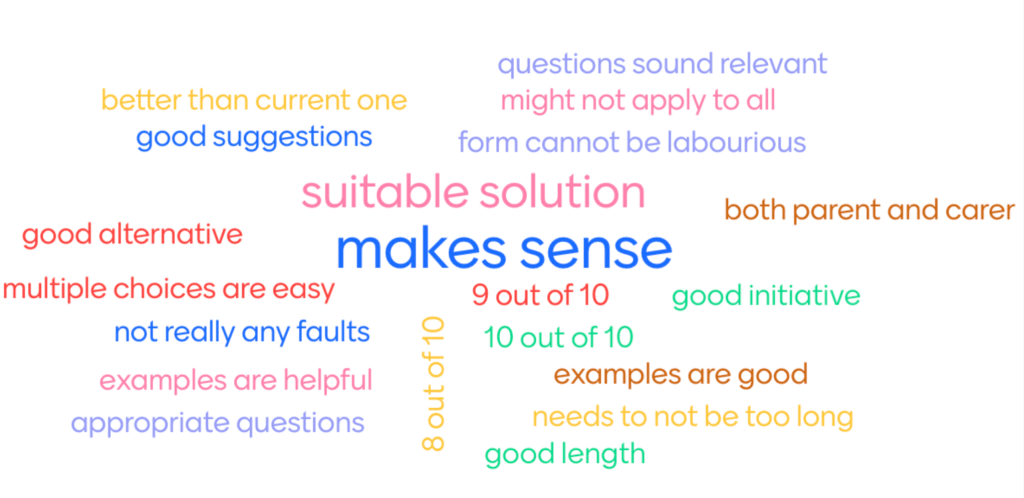
Although the general feedback was positive, there were key constraints in the testing that could led to potential skews and inaccuracies in data. Including;
| None of the test participants have been through assessment process; couldn’t provide the most accurate insights |
| Limited time frame & pool of voluntary participation |
| Participants were not used to the testing process and not familiar with verbalising their thoughts at every step, this required significant encouragement and prompts from the researcher which might have affected findings |
| Filtered statements – participants did not critique/gave much negative feedback – the lack of constructive criticism made it more difficult to find area of improvements |
| Testing was done during a gaming session; natural environment prone to distractions on both parties |
Final MVP
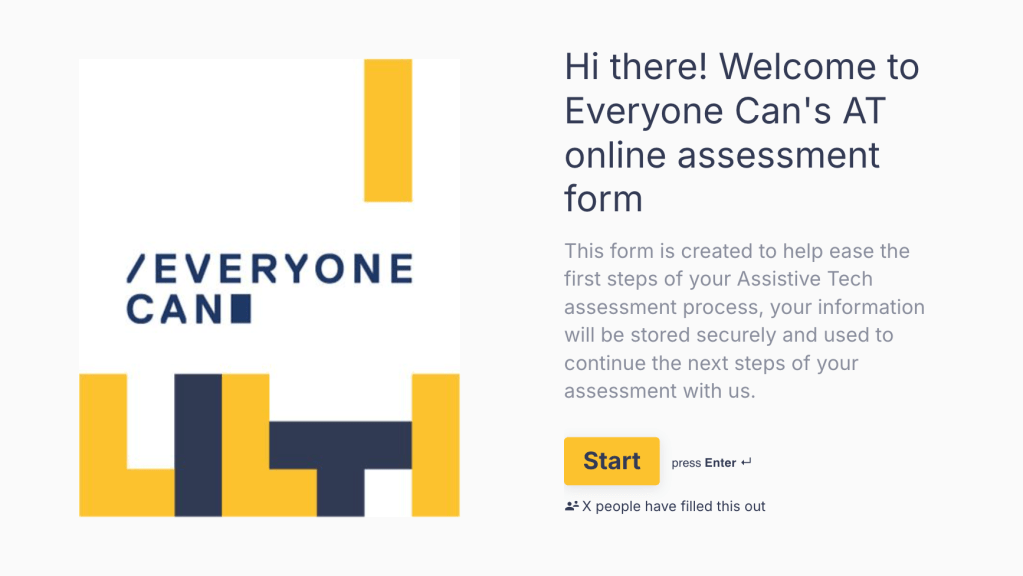
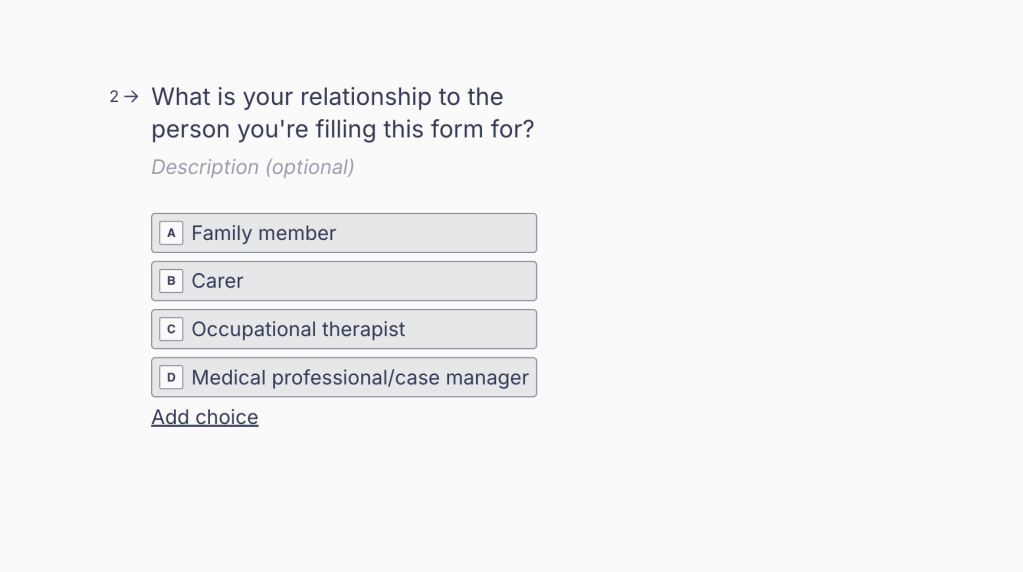
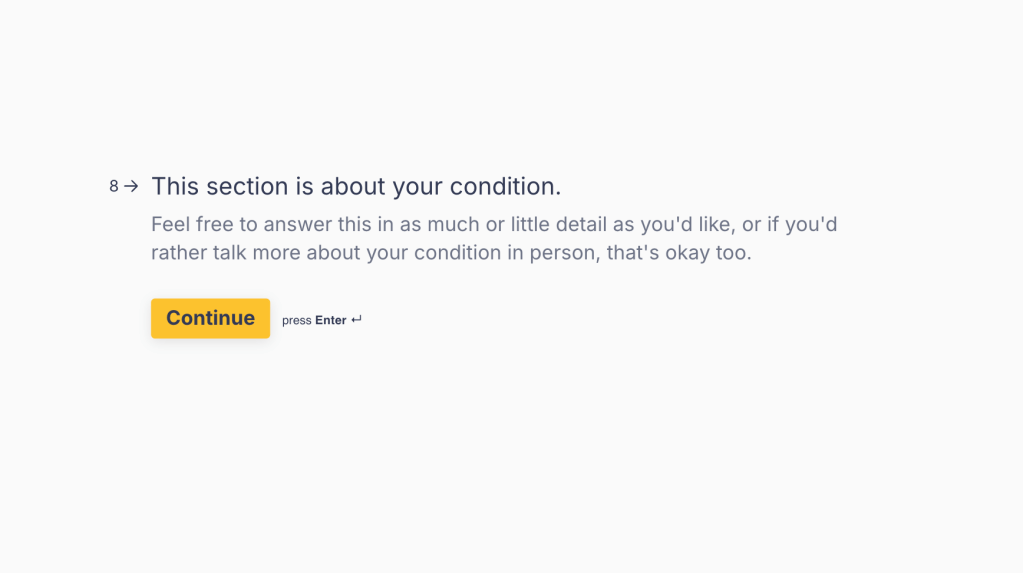
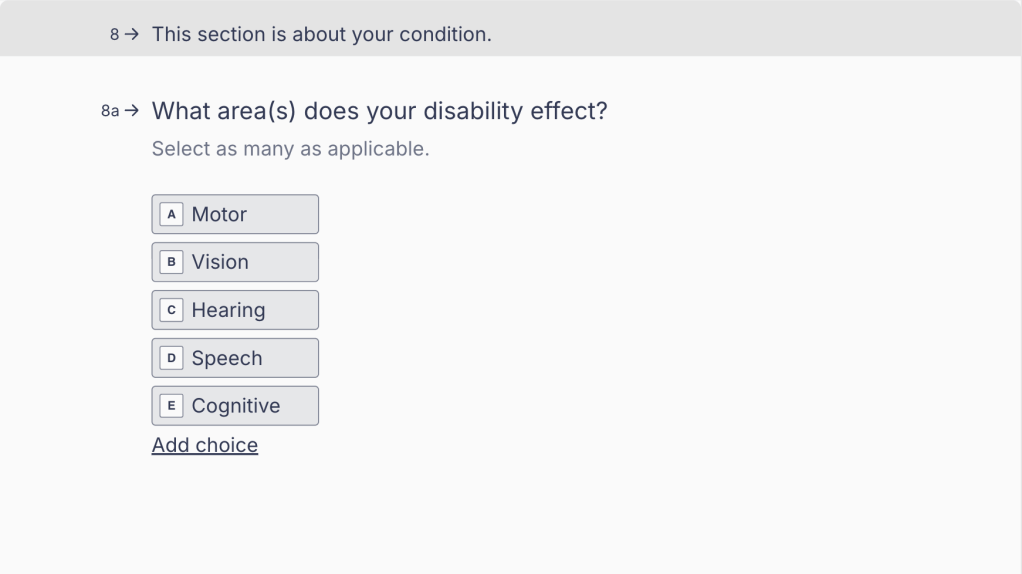
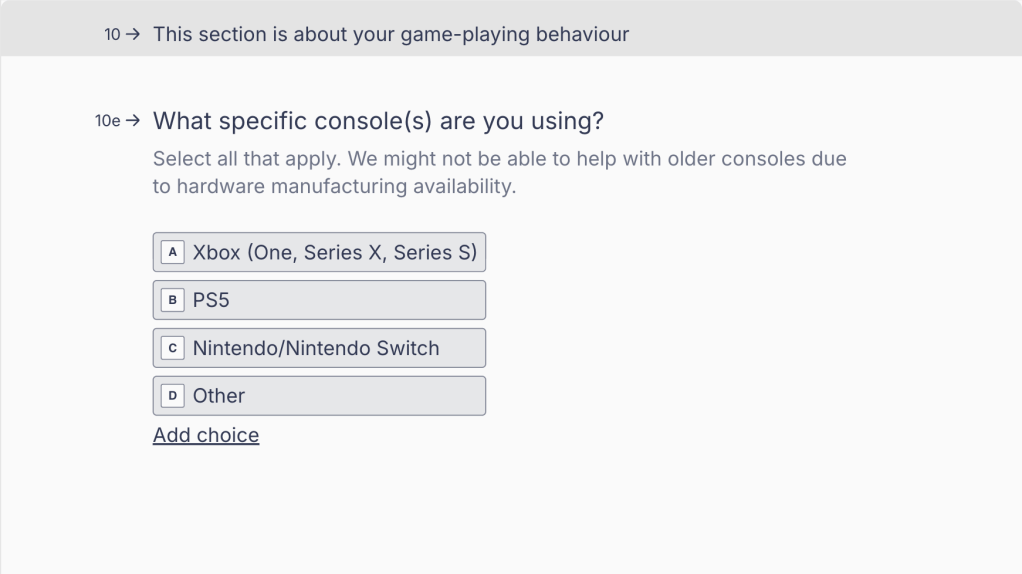
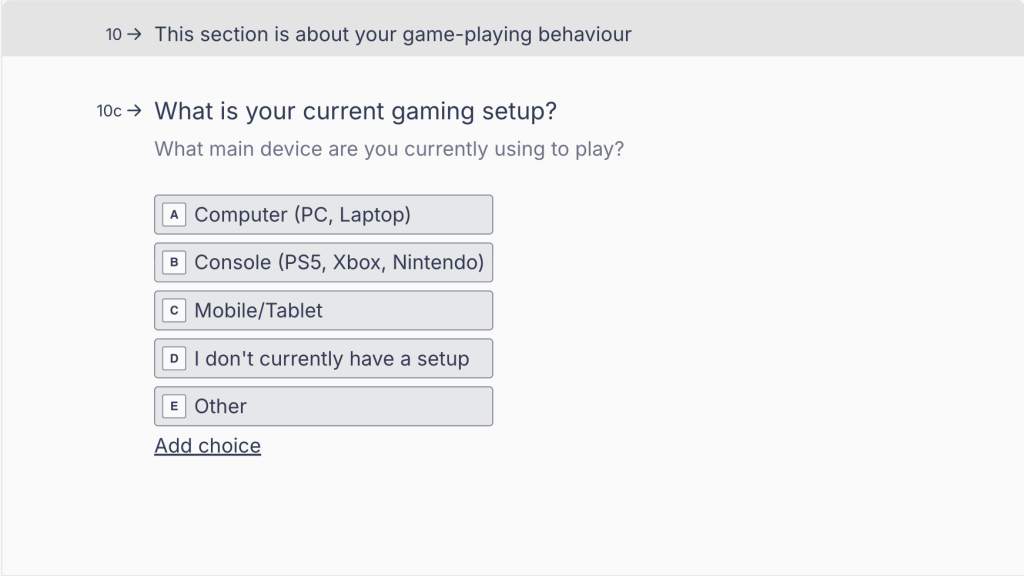
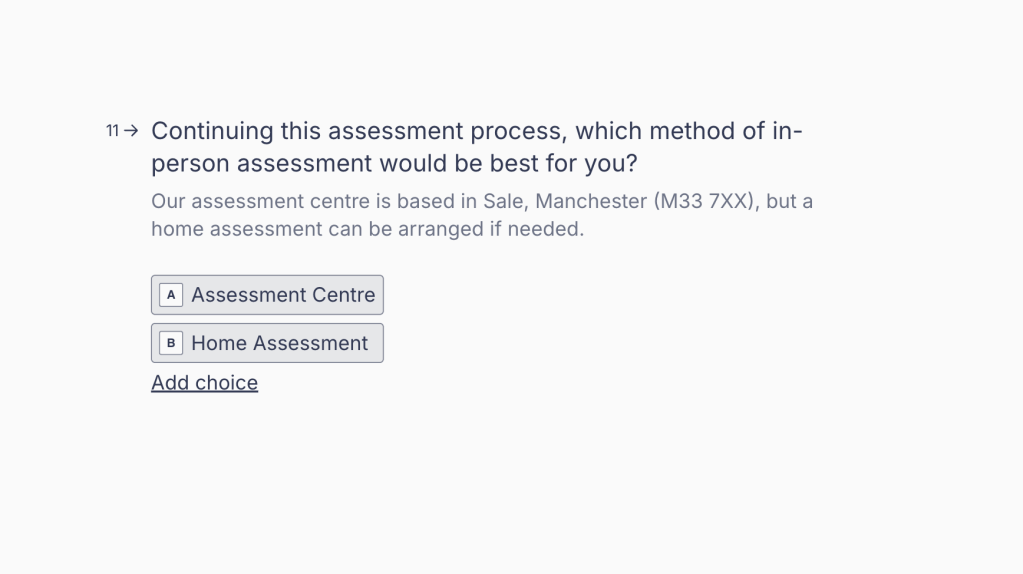
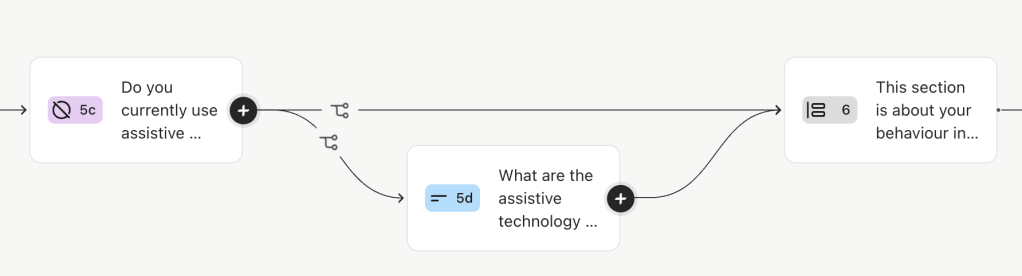
The MVP is a short Typeform survey aimed to collect essential preliminary information, and logic jumps were used to tailor the experience to each user case. Here are some examples;
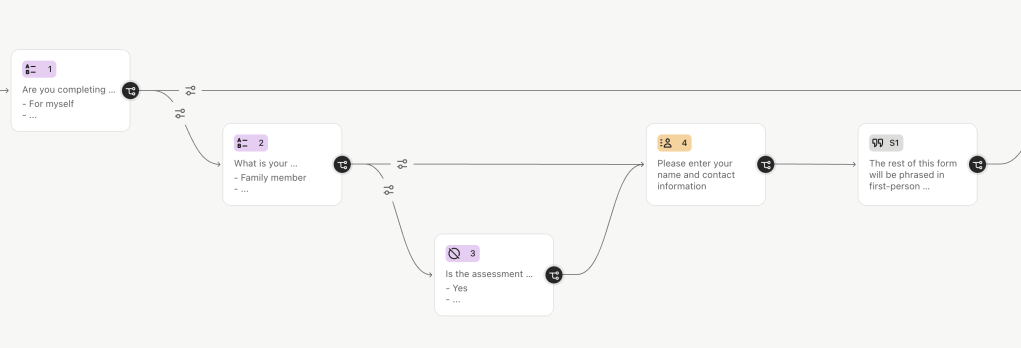
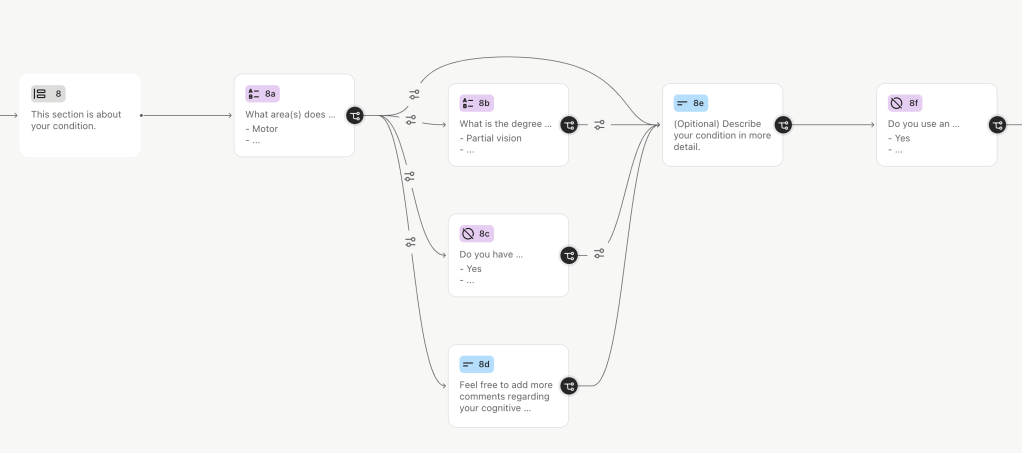
The ideal desired outcome is to have this embedded on Everyone Can’s website, where users can find and fill in the form whilst researching their assessment. Success metrics could include;
KPIs:
- User Engagement: Measure how actively users interact with the online form.
- Conversion Rate: Track the percentage of users who complete the form and proceed to the next stage of the assessment.
- Data Accuracy: Assess the quality and completeness of the data collected through the form.
- Time to Onboard: Measure the time taken from the user’s first contact to the completion of the form.
UX Metrics:
- Task Success Rate: The percentage of users who successfully complete the form and continue to receiving an assessment.
- Time-on-Task: The average time users take to complete the form.
- User Error Rate: The frequency of errors users encounter while filling out the form.
- Abandonment Rate: Whether users leave the form unfinished.
- System Usability Scale (SUS): A standardized questionnaire to evaluate the usability of the form.
- Net Promoter Score (NPS): Measure user satisfaction and likelihood to recommend the service.
- Benchmark: Compare the speed and efficiency of user journey with time frame before the product implementation.
Further Recommendations
- Internal equipment recommendation ‘Packing List’ ; depending on the data input, the internal system could suggest relevant equipment & hardware for the team to prepare leading up to the assessment- this would be esp. impactful for home visits due to the limited amount of items that can be brought to each visit
- Develop into a higher fidelity ‘Assessment Portal’ embedded into the Everyone Can website
- Conduct more thorough testing with relevant members of the target group; expand on demographic, range of conditions, users who have gone through successful assessment etc. to feed into continuous iteration
- Use other methodology to support testing; eg. retrospective think aloud to gain deep insights, add debrief focus group discussion post-testing, etc.
Conclusion & Reflection
This project pushed me outside my comfort zone in developing my own live brief and reaching out to collaborate with a local organisation. I also learned more from working with a charity. This aligns with my aspirations as I aim to work within the non-profit industry.
If I were to tackle this project again, I would prioritise collecting deeper and continuous user feedback from relevant user segments, as well as further developing a higher fidelity version of the product.
 mayvira's portfolio